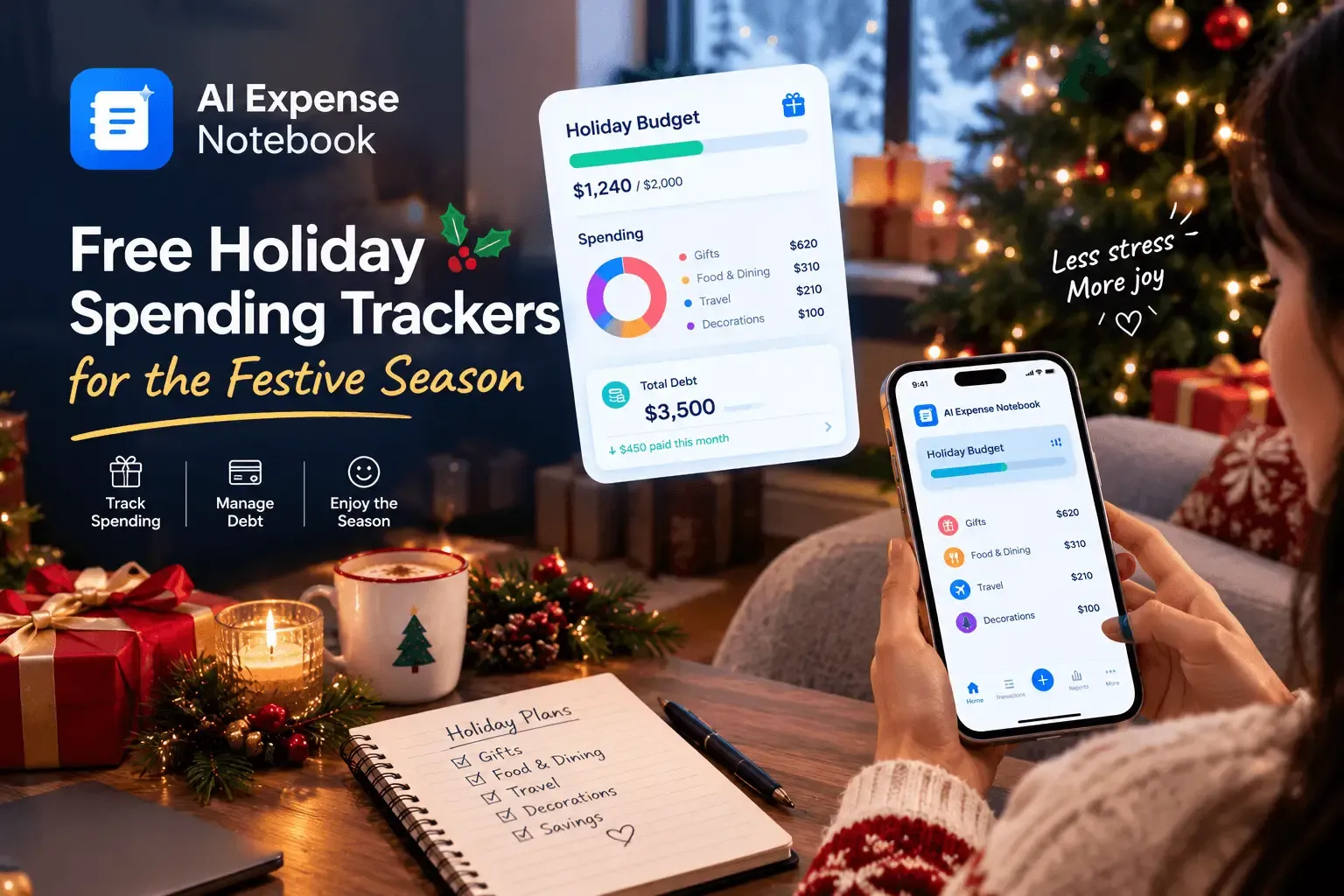
The best free holiday spending tracker lets you set a gift budget, log every purchase in seconds, and warns you before you overspend. For most shoppers, AI Expense Notebook is our top pick because it combines free receipt scanning, category budget alerts, and income and expense tracking without a bank link. Goodbudget, the CFPB's free worksheets, and your bank's built-in tools are useful alternatives. This guide is published by the AI Expense Notebook team, so we rank our own app first, and we show where the other options win.
Why track holiday spending at all?
Holiday money leaks out in small pieces: gifts, groceries, hosting, wrapping, travel, shipping, and last-minute extras. The National Retail Federation (NRF) forecasts that November and December 2026 retail sales will grow 4.2% over 2025, after holiday sales of $972 billion last year. That figure is a national retail total, not a household benchmark, but it shows how much money moves through the season.
Budgets are also on people's minds. NRF's winter holiday data page reports that 56% of holiday shoppers say the state of the economy will affect their holiday spending plans this year. A tracker turns that worry into numbers you can act on before December, not after.
What makes a good free holiday spending tracker?
Use these five checks to compare any app:
- Free without a wall. Core tracking should work without a trial or a paywall in the middle of December.
- Fast logging. If adding a purchase takes more than 10 seconds, you will skip it. Receipt scanning and quick-add forms help.
- Budget limits with alerts. You need a gift limit that warns you before you cross it, not a report after.
- Handles real holiday spending. Cash, gift receipts, shared costs, and purchases in other currencies should all fit.
- Clear privacy terms. Check whether the app shows ads, sells data, or needs your bank login.
Best free holiday spending trackers compared
These are general characteristics at the time of writing. Check each app's current plan before you rely on it.
| Tracker | Cost | How you log spending | Budget limits | Bank link needed | Best for |
|---|---|---|---|---|---|
| AI Expense Notebook | Free | AI receipt scan or quick entry | Category or overall, with alerts | No | Gifts, groceries, and receipts |
| Goodbudget | Free plan with limits; paid plan unlocks more | Manual entry | Envelope balances | No on the free plan | Couples who like envelope budgeting |
| CFPB free worksheets | Free | Manual, on paper or PDF | Budget worksheet | No | A one-time holiday plan |
| Your bank's built-in tools | Usually free to customers | Automatic from your accounts |
1. AI Expense Notebook: best overall for holiday spending
AI Expense Notebook is a free expense and income tracker for iOS and Android. Its AI Magic Scan reads a receipt and fills in the amount, date, merchant, and category, which suits the holiday season, when you are collecting dozens of small receipts from stores, markets, and online orders. The developer states 99.2% scan accuracy, so test it with a few of your own receipts first.
Why it fits holiday budgeting:
- Category and overall budgets with alerts. Set one limit for the whole season and separate limits for gifts, food, and travel. The alert fires before you exceed them.
- Income and expenses in one place. Log holiday bonuses or side income next to your spending, so you see what you can actually afford.
- No bank connection required. Your account credentials stay with your bank.
- Multi-currency support. Useful for gifts bought abroad or holiday travel.
- Reports by category and month. Compare budget against actual spending at a glance.
On privacy, the app says it has no advertising network, does not sell user financial data, and does not retain receipt images long-term once an entry is confirmed. Read the Privacy Policy before you decide.
The trade-off: because the app does not sync with your bank, each purchase needs a scan or a quick entry. If you want fully automatic import, your bank's tools may suit you better.
Download it on the App Store or Google Play. For a walkthrough of the scanner, see our guide to scanning receipts with your phone.
2. Goodbudget: best free envelope-style tracker
Goodbudget uses digital envelopes: you assign money to categories such as gifts and groceries, then spend from each envelope. Experian's Goodbudget review says the free version can be used indefinitely but with fewer features, and that automatic bank syncing is only available on the premium plan, so the free version requires manual entry.
Where it wins: the envelope method makes limits very visible, and it works well for couples who want shared holiday envelopes.
Where it falls short for the holidays: free plans cap the number of envelopes, and every purchase is typed by hand. There is no receipt scanner, which slows you down when you are shopping for many people.
3. CFPB free worksheets: best for a one-time holiday plan
The U.S. Consumer Financial Protection Bureau offers free tools for income, spending, bills, and budgets. A Minnesota Department of Commerce guide lists the CFPB's Income Tracker, Spending Tracker, Bill Calendar, Budget Tool, and Budget Worksheet.
Where it wins: it costs nothing, needs no account, and is useful for planning your season on paper.
Where it falls short: it is manual, has no alerts, and is slow to update while you are out shopping.
4. Your bank's built-in spending tools
Many banks and card issuers show spending by category inside their own app. This option needs no new download, and transactions appear automatically.
Where it wins: it is hands-off and requires nothing from you.
Where it falls short: it only sees what passes through that bank. Cash, gift-card purchases, and spending on other cards can be missing, and category budgets and alerts vary widely.
How to set up a holiday spending tracker in 10 minutes
- List everyone and everything. Write down gift recipients, meals you will host, travel, decorations, and charity.
- Set a total. Add up your estimates, then decide what you can afford without using credit.
- Split it into categories. Create categories such as Gifts, Food and hosting, Travel, Decor and wrapping, Charity and tips, and Extras.
- Set limits and alerts. Give each category a cap and turn on alerts.
- Log every purchase. Scan or enter receipts the same day, including small ones.
- Review weekly. Spend 10 minutes comparing budget against actual spending and move money between categories if needed.
For saving ahead, see our guide to saving money for Christmas without stress.
Common holiday overspending traps
- Sale-price illusions. A big discount tag does not always mean a real deal. Read how retailers manufacture discounts before you buy.
- No plan before Black Friday. Set limits first, using our guide to building a Black Friday budget.
- Shared costs that get messy. Gift pools, meals, and travel can cause arguments. See how to split holiday group expenses fairly.
- Overspending already happened. Use this 30-day plan to recover your budget.
FAQ
What is the best free holiday spending tracker?
The best one is the one you will log into every day. For most shoppers, AI Expense Notebook is a strong pick because it is free, scans receipts, and sends budget alerts without a bank link. Goodbudget suits envelope budgeters, and the CFPB's worksheets suit one-time planning.
How much should I budget for the holidays?
There is no universal number. NRF's forecast covers national retail totals, not household budgets. List every gift, meal, trip, and extra, add them up, and choose a total you can pay without borrowing.
Do I need to link my bank account to track holiday spending?
No. Bank-linked tools import transactions automatically, but trackers such as AI Expense Notebook and Goodbudget's free plan work without a bank connection. You enter or scan each purchase yourself.
Can I track cash and gift-card spending?
Yes, in a tracker you fill in yourself. Bank-linked tools can miss cash and gift-card purchases because they only see transactions through the connected account.
How do I stop impulse buying during holiday sales?
Set a category limit before you shop, turn on budget alerts, and log each purchase right away. Seeing the running total makes an impulse buy harder to justify.
Are free tracker apps safe?
It depends on the app. Check whether it shows ads, sells data, encrypts stored data, keeps your receipt images, and asks for your bank login. The privacy policy should answer each point.