
What Is AI Expense Notebook?
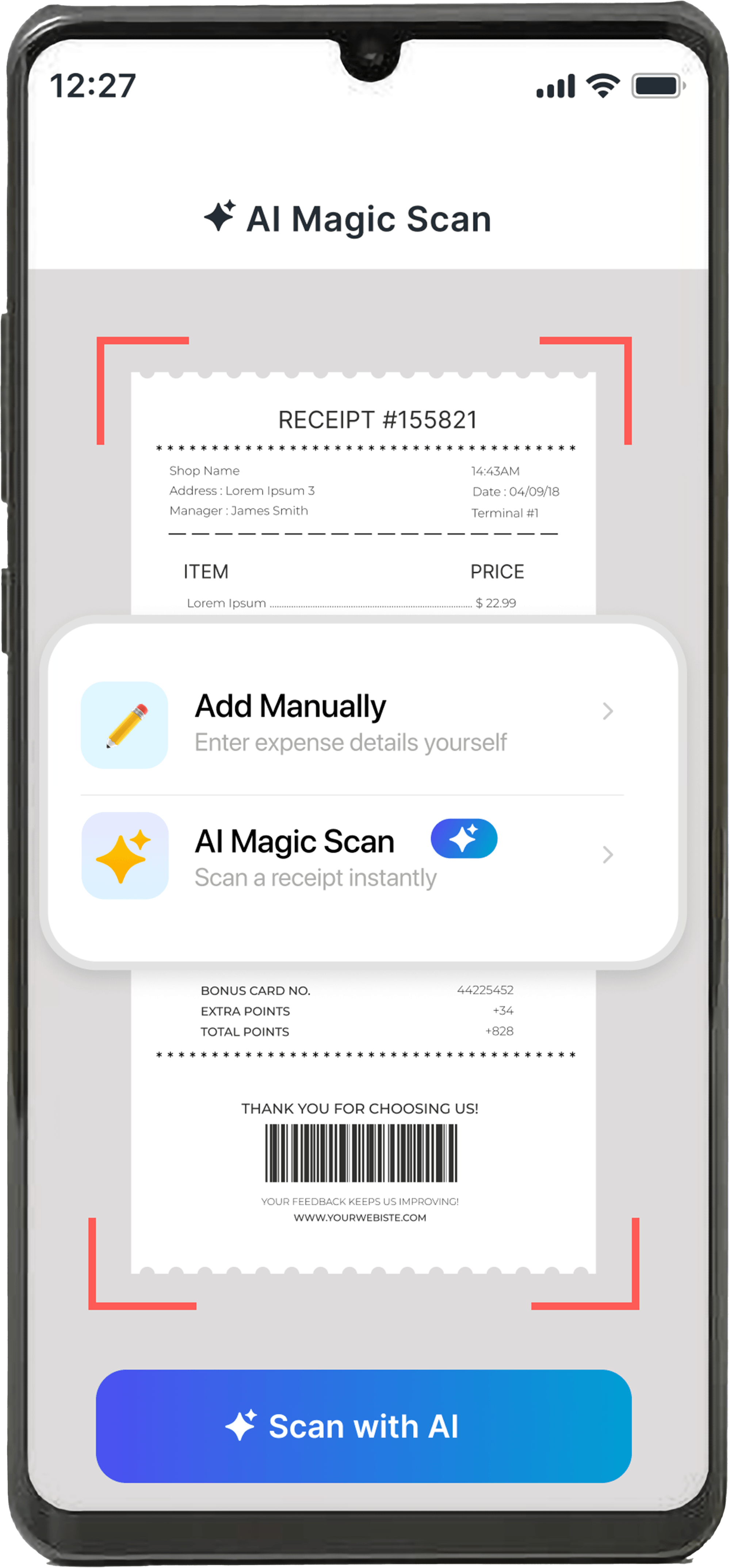
AI Expense Notebook is a free expense tracking app for iOS and Android that uses AI to read receipts and log expenses automatically. Point your camera at a receipt, and AI Magic Scan extracts the amount, date, merchant, and category in seconds — no manual typing. The app also includes budget alerts, spending reports, and multi-currency support, all in one place.
AI Receipt Scanner
Auto-extract amount, date & merchant — 99.2% accuracy
Expense & Budget
Track expenses, set budgets, get real-time alerts
Insights & Reports
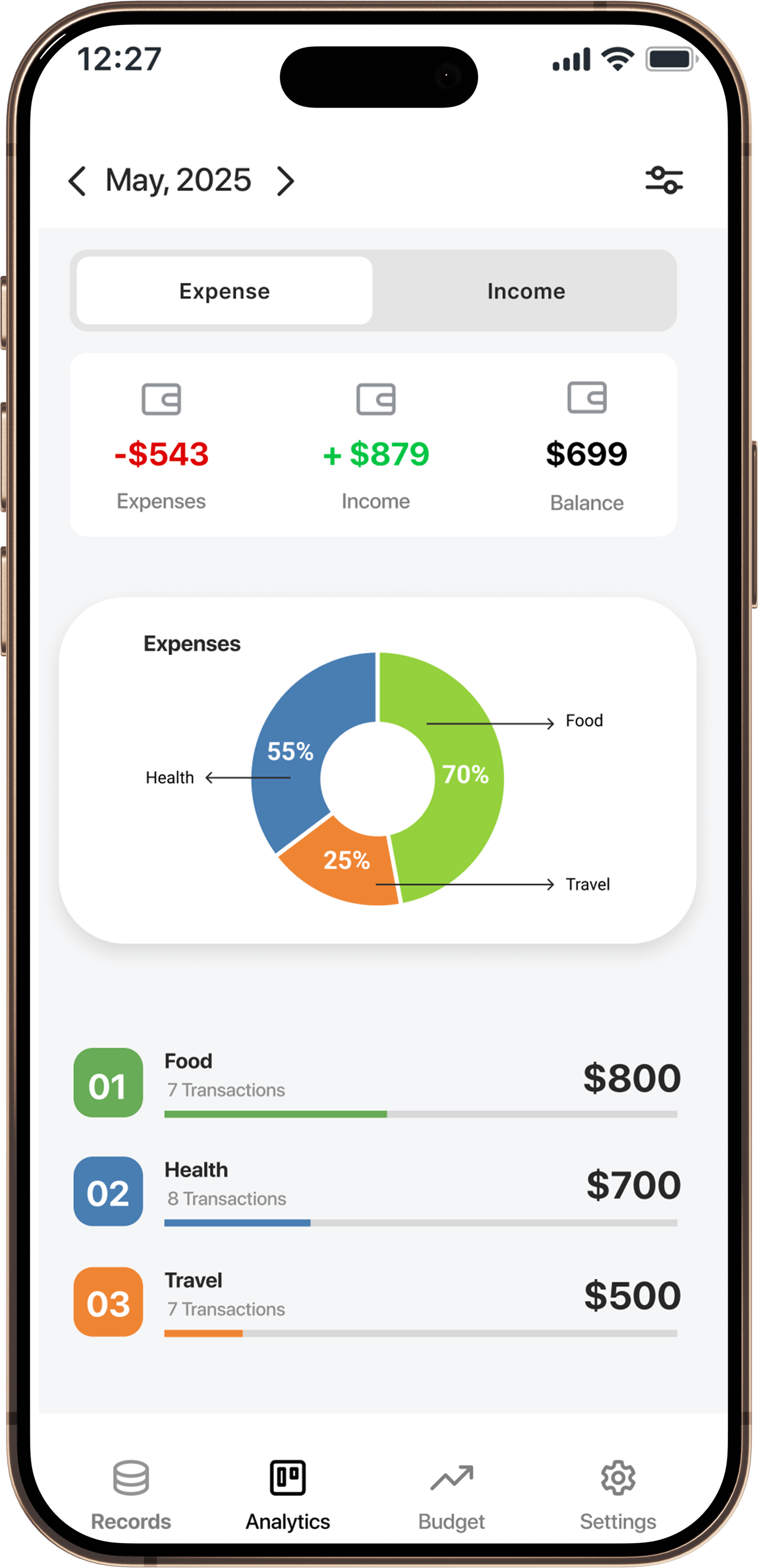
See spending by category, month, and budget vs. Actual
Simple Interface
Add an entry in under 10 seconds
What Is AI Expense Notebook?
AI Expense Notebook is a free expense tracking app for iOS and Android that uses AI to read receipts and log expenses automatically. Point your camera at a receipt, and AI Magic Scan extracts the amount, date, merchant, and category in seconds — no manual typing. The app also includes budget alerts, spending reports, and multi-currency support, all in one place.
Features
AI Receipt Scanner
One of the best receipt scanner features in any expense tracker. Point your camera at a receipt and AI Magic Scan extracts the amount, date, merchant, and category instantly — 99.2% accuracy, no manual typing.
Smart Expense Tracking
Log expenses and income in one place — manually or via AI scan — searchable by day, week, or month.
Budget Management
Set spending limits by category or overall, and get a real-time alert before you exceed them — not after.
Auto Categorization
Every scanned receipt is automatically sorted into categories like Food, Bills, Travel, and Health — no manual sorting needed.
Insights & Reports
See spending by category and time period, and compare your budget against actual spending — answer 'where did my money go?' instantly.
Privacy-First, Encrypted Design
No advertising network, no data resale, and encrypted data storage. The app's business model does not depend on selling user financial data
How Does AI Receipt Scanning Work?
Four steps, under 10 seconds with AI Magic Scan: add, classify, categorize, save.
AI Scan Receipt
Open AI Magic Scan inside the app and point the camera at any physical or digital receipt.
AI Scan Receipt
Open AI Magic Scan inside the app and point the camera at any physical or digital receipt.
AI Extract Data
AI processes the image and extracts four data points: total amount, transaction date, merchant name, and a suggested expense category.
AI Extract Data
AI processes the image and extracts four data points: total amount, transaction date, merchant name, and a suggested expense category.
Pre-fill Entry Form
The data pre-fills the entry form so the user can review it before saving.
Pre-fill Entry Form
The data pre-fills the entry form so the user can review it before saving.
Edit & Save Entry
The user confirms or edits, then saves — the entry is now logged and reflected in budgets and reports.
Edit & Save Entry
The user confirms or edits, then saves — the entry is now logged and reflected in budgets and reports.
Why AI Expense Notebook is the Best Choice
Most expense trackers require you to manually type every purchase. AI Expense Notebook reads the receipt for you — turning a 2-minute task into a 5-second scan.
Who Is AI Expense Notebook For?
What Our Users Say
Join thousands of satisfied users who've taken control of their finances
"The AI receipt scanner is the best part of this app. It detects amounts, dates, and categories really well. I no longer have to manually enter every expense. Highly efficient."
Sarah Chen
"Clean UI, easy to use, and the scan feature is a game changer. Great app for daily expense tracking."
Michael Rodriguez
"I used to avoid tracking expenses because it felt like too much work. With this app’s scan feature, I just take a picture and it does the rest. Thankyou."
Emma Thompson
Ready to stop manually typing every expense?


AI Expense Notebook is free, takes under a minute to set up, and turns your next receipt into a tracked expense in under 10 seconds.
Privacy and Data Security
AI Expense Notebook is built on a privacy-first architecture:
- All data transmission is encrypted
- Financial data stored on servers is encrypted at rest
- Receipt images are processed for data extraction and not retained long-term once the entry is confirmed
- User financial data is not sold or shared with advertisers or third parties
- No in-app advertising network is present, which removes the financial incentive to monetize user data
Full details are available in the app's Privacy Policy and Terms & Conditions.
Frequently Asked Questions
Find answers to common questions about AI Expense Notebook