The best income and expense tracker app is the one you will still open in month three. For most people that means an app that logs money in and money out in one place, makes each entry take seconds, shows budget versus actual spending, and protects your financial data. This guide helps you test those four things before you commit to an app.
What is an income and expense tracker app?
An income and expense tracker app is a mobile app that records the money you earn and the money you spend, sorts each entry into a category, and shows the difference between the two over a day, week, or month. A bank app only shows what passed through one account. A tracker can also capture cash, card, and side-income entries, so your totals reflect your whole financial picture.
The habit behind it is well supported by public guidance. The U.S. Consumer Financial Protection Bureau's monthly budget tool says to track your income, resources, and expenses for at least one month before you build a budget. A Minnesota Department of Commerce guide built on the CFPB's tools follows the same order: document your income, see where your money goes, list your bills, then create a working budget.
7 features to look for in an income and expense tracker app
1. Income and expenses in the same place
Some expense trackers only log spending. Without income in the same view, you cannot see whether a month ended positive or how much you actually saved. This matters most if your pay is irregular, such as freelance work, tips, or a side business.
2. Entry that takes seconds, not minutes
Friction is the main reason people quit. CFPB research on managing spending notes that budgeting and tracking spending are often seen as overwhelming. If logging a coffee takes a minute and a half, you will skip it by week two. Look for quick-add forms, saved categories, and receipt scanning.
3. Receipt scanning with a review step
A good receipt scanner reads the total, date, merchant, and category, then pre-fills the entry so you can confirm or edit it before saving. Accuracy claims vary by vendor, so test any app with five real receipts: one crumpled, one faded, one long grocery receipt, one in another currency, and one digital. Our guide to scanning receipts with your phone walks through what to check.
4. Budgets with alerts before you overspend
A budget that only reports the damage at month end is a diary. Look for category limits, an overall limit, and an alert that fires before you cross the line.
5. Reports that answer where the money went
You should be able to see spending by category and time period, and compare budget against actual spending. If the report takes more than two taps to find, you will not use it.
6. Privacy and how the app makes money
Free apps need a business model. Before installing, read the privacy policy and check four things: whether the app shows ads or sells data, whether stored data is encrypted, whether receipt images are kept after scanning, and whether it requires your bank login.
7. Multi-currency support and records you can prove
If you travel or invoice in more than one currency, multi-currency entries save you from messy conversions later. If you are self-employed, records matter more. The IRS says you may use any recordkeeping system that clearly shows your income and expenses, and your supporting documents should show the amount paid and that it was for a business expense.
Types of income and expense trackers compared
These are general characteristics of each type, not a ranking of specific products.
| Type | Best for | Main strength | Main trade-off |
|---|---|---|---|
| Bank-linked apps | People with few accounts who want hands-off tracking | Transactions import automatically | Requires sharing bank access; cash purchases are missing |
| Manual-entry apps | People who want full control and no bank link | No account access needed | Slowest option; the type people abandon most often |
| Receipt-scanning apps | People with many receipts, cash spending, or business costs | Fast entry without a bank link; keeps proof of purchase | One scan per purchase; depends on photo quality |
| Spreadsheets | People who want a custom setup |
Which type fits you?
- Freelancers and self-employed people: Choose an app that tracks both income and receipts. See our guide to tax deductions for freelancers for what to log through the year.
- Students: Choose fast entry and simple category budgets so a fixed allowance or part-time pay stretches the full month.
- Frequent travelers: Choose multi-currency support so every purchase lands in one ledger.
- People who have quit trackers before: Choose the fastest entry method available. Speed matters more than features.
Where AI Expense Notebook fits
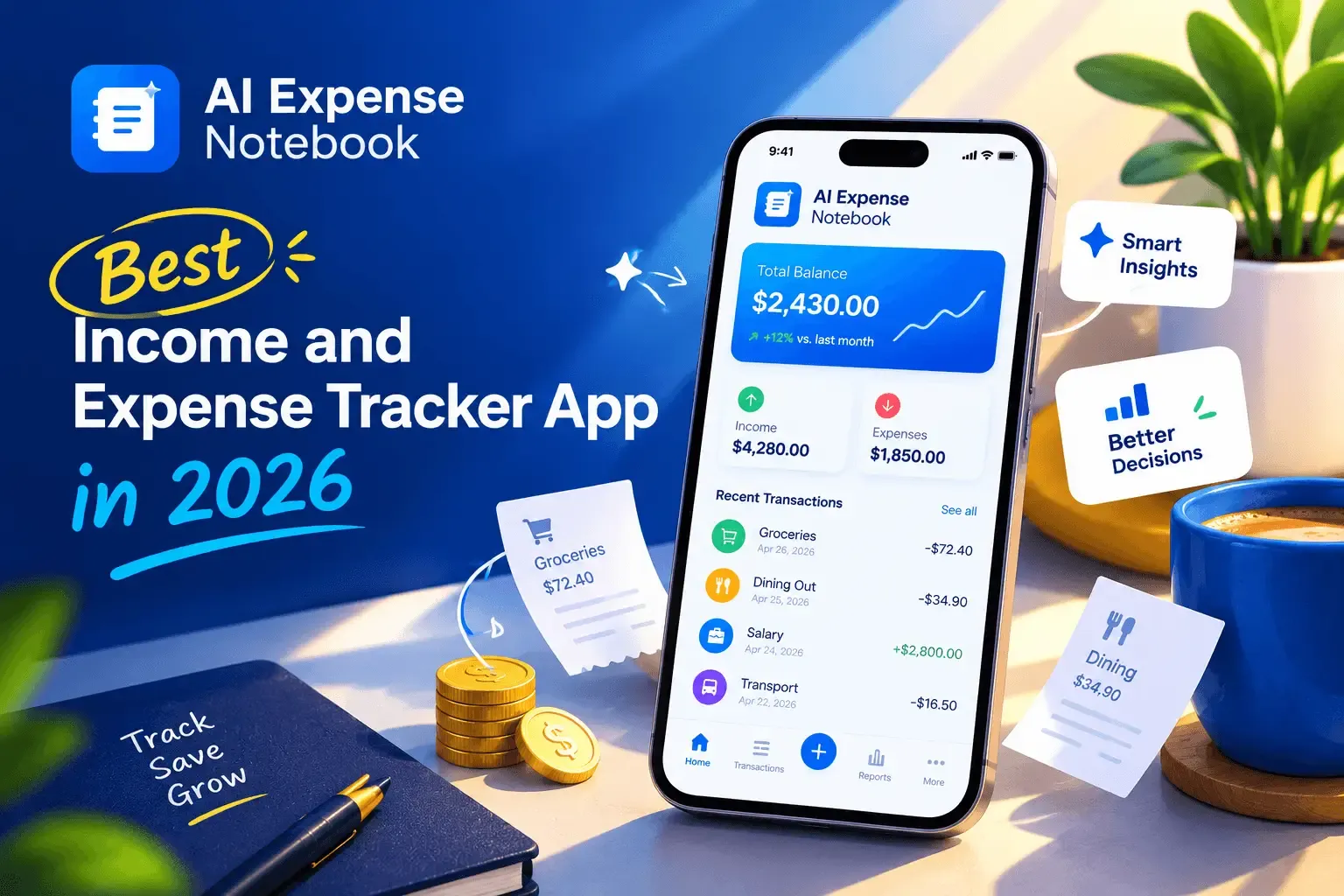
AI Expense Notebook is a free income and expense tracker for iOS and Android. You can log expenses and income in one place, searchable by day, week, or month. Its AI Magic Scan reads a receipt and extracts the amount, date, merchant, and category. The developer states 99.2% scan accuracy, so run your own five-receipt test before trusting any number. The app also offers budgets by category or overall with alerts, spending reports, and multi-currency support.
On privacy, the app says it has no advertising network, does not sell user financial data, encrypts data in transit and at rest, and does not retain receipt images long-term once an entry is confirmed. Read the full Privacy Policy and decide for yourself.
The trade-off: the app does not connect to your bank. That keeps your credentials private, but every purchase needs a scan or a quick entry. If you want fully automatic transaction import, a bank-linked app is the better fit.
Download it from the App Store or Google Play.
How to start tracking income and expenses in 15 minutes
- Pick one app and install it. Do not compare more than two.
- Set 5 to 8 categories such as housing, food, transport, bills, health, and fun.
- Add your income sources, including irregular ones.
- Log the last 7 days from receipts or your bank statement so the app starts with real data.
- Set one budget for your biggest flexible category, usually food or shopping.
- Log every purchase for 30 days, then review once a week for 10 minutes.
Once you can see your numbers, you can start finding savings. A guide to saving $1,000 in 3 months by tracking daily spending shows how.
FAQ
What is the best income and expense tracker app?
The best app is the one that fits your habits. Look for income and expense tracking in one place, entry that takes seconds, budget alerts, clear reports, and strong privacy. Test two apps for a week each before choosing.
Do I need to link my bank account to track income and expenses?
No. Bank-linked apps import transactions automatically, but manual and receipt-scanning apps work without bank access. The trade-off is that you enter or scan each purchase yourself.
Are free income and expense tracker apps safe?
It depends on the app. Check whether it shows ads, sells data, encrypts stored data, and keeps your receipt images. The privacy policy should answer all four.
Can an income and expense tracker help with taxes?
Yes, for record keeping. The IRS says you must be able to prove your income and deductions, and a clear record of receipts and income supports that. This is general information, not tax advice, so talk to a tax professional about your situation.
How long should I track before making a budget?
The CFPB's monthly budget tool suggests tracking for at least one month. That gives you a realistic baseline, including irregular costs.
What is the difference between an income and expense tracker and a budgeting app?
A tracker records what happened. A budgeting app sets limits for what should happen. Many apps do both, so look for budgets and alerts built on top of your tracked data.