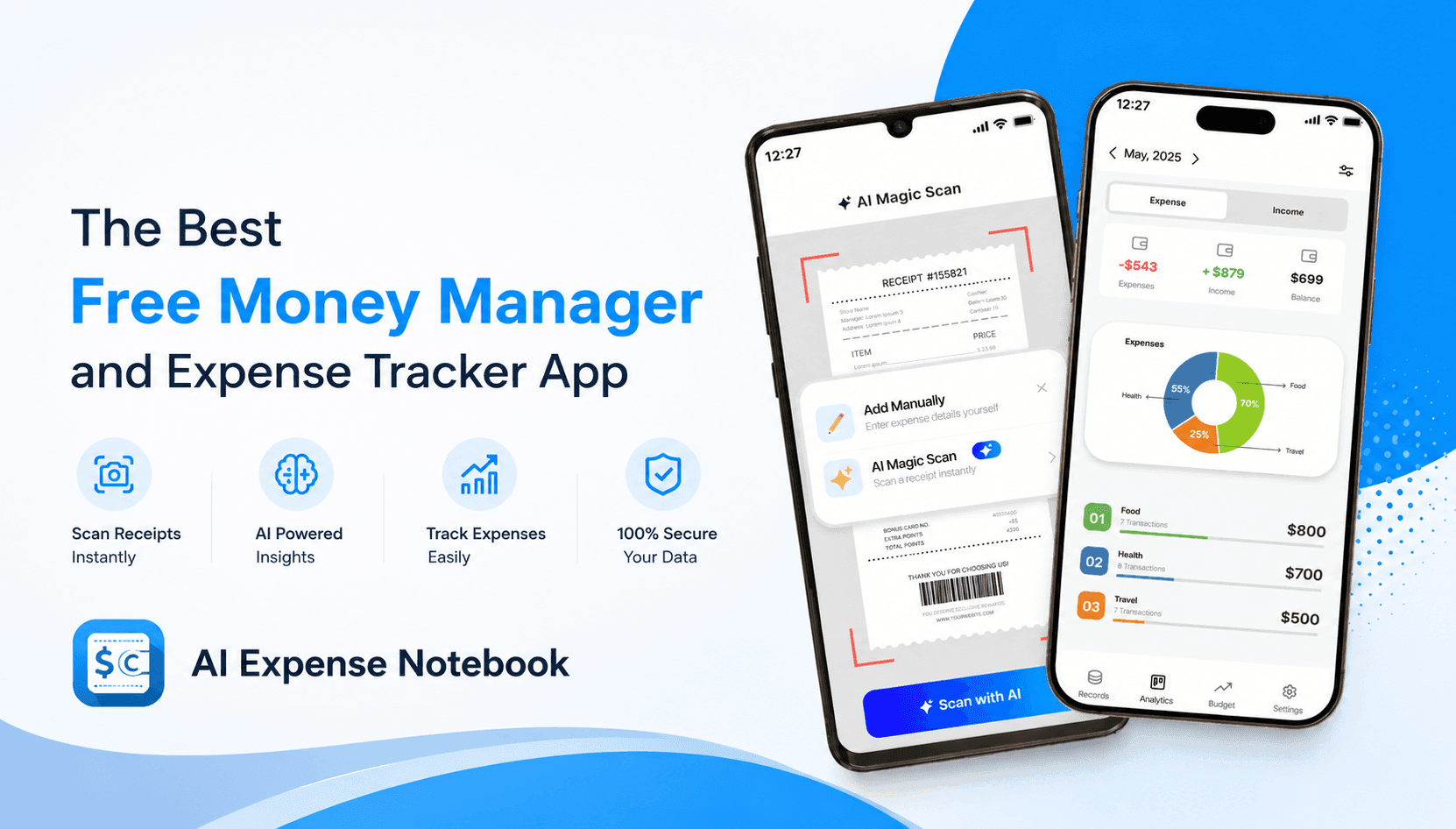
How AI Expense Notebook Helps You Stop Overspending
If you've ever wondered how to stop overspending using an app, or struggled to find a genuinely free money manager app with no ads that actually works, AI Expense Notebook by Codematics is your answer.
Available on both Google Play Store and Apple App Store, AI Expense Notebook is a next-generation personal finance app that combines AI-powered receipt scanning, smart expense categorization, real-time budget alerts, and beautiful spending insights all in one clean, distraction-free interface. No ads. No paywalls hiding core features. Just powerful, intelligent money management.
Why Most People Fail at Tracking Expenses?
The number one reason people give up on expense tracking is friction. Manually entering every coffee, every grocery run, every bill payment is tedious and most people quit within a week.
AI Expense Notebook eliminates that friction with its AI Magic Scan feature. Simply point your camera at a receipt, and the app's AI engine boasting a 99.2% accuracy rate instantly extracts the amount, date, merchant name, and category. No typing. No guessing. No forgetting.
Check This: Our Step-by-Step Anti-Overspending Guide
How to Manage Your Monthly Budget on Mobile with AI Expense Notebook
Learning how to manage your monthly budget on mobile used to require spreadsheets, manual entry, and a lot of discipline. AI Expense Notebook turns that process into four simple steps:
Step 1 — Add Entry
Scan a receipt using AI Magic Scan, or add an expense manually in seconds. You can also log income with equal ease making this a true app to record income and expenses, not just costs.
Step 2 — Choose Type
Tag the entry as an Expense or Income. This dual-tracking capability gives you a complete picture of your cash flow, not just your spending.
Step 3 — Pick a Category
Organize transactions into intuitive categories — Food, Bills, Travel, Shopping, Entertainment, Health, and more.
Step 4 — Save & Track
Your finances are instantly recorded, organized, and reflected across your dashboard, reports, and budget meters in real time.
AI Receipt Scanner: The Feature That Changes Everything
The AI-powered receipt scanner in AI Expense Notebook is not a gimmick — it is the core of what makes this app fundamentally different from traditional expense trackers.
Here is what happens when you scan a receipt:
The AI reads the total amount including tax and tips
It captures the date and merchant name automatically
It assigns the correct spending category without you lifting a finger
It supports multiple currencies, making it ideal for travelers and global users
With a 99.2% accuracy rate, even crumpled receipts, handwritten notes, and multi-line grocery bills are parsed correctly. This is the expense manager with receipt scanner functionality that users have been demanding for years.
How to Stop Overspending Using an App: Real Strategies AI Expense Notebook Enables
Overspending is almost always invisible until it's too late. AI Expense Notebook solves this with three powerful anti-overspending mechanisms:
1. Real-Time Budget Alerts
Set a monthly or category-level budget (e.g., $300 for dining, $150 for entertainment), and the app will alert you as you approach your limits. You stop overspending before it happens — not after.
2. Spending Insights & Visual Reports
The app generates clear, visual breakdowns of your spending by category, date range, and trend. When you see that you spent 40% of your budget on food delivery in one week, the behavior becomes visible and visible behavior is changeable behavior.
3. Income vs. Expense Comparison
Because AI Expense Notebook is a true app to record income and expenses, you can see your full financial picture. Knowing that you earned $3,000 and spent $3,400 last month is a powerful motivator to change habits and this app shows you exactly where the $400 gap came from.
Who Is AI Expense Notebook Built For?
The app was designed with a wide range of users in mind:
User Type | How the App Helps |
Students | Track allowances, subscriptions, and food spending on a tight budget |
Freelancers | Record client payments (income) and business expenses in one place |
Couples & Families | Monitor household income and expenses across categories |
Travelers | Multi-currency support makes international expense tracking seamless |
Small Business Owners | Scan receipts and export reports for bookkeeping |
Anyone new to budgeting | Simple 4-step flow requires zero financial knowledge to start |
Key Features at a Glance
— Scan receipts instantly with 99.2% accuracy AI Magic Scan
— Record both sides of your finances Income & Expense Tracking
— Set limits by category and get alerted before you overspend Budget Management
— AI assigns categories automatically, learning over time Auto Categorization
— Visual charts showing exactly where your money goes Spending Insights & Reports
— Perfect for international users and travelers Multi-Currency Support
— All data is encrypted and stored securely Privacy-First Design
— No interruptions, no distractions, no hidden charges Clean, Ad-Free Interface
— Works on iPhone and Android devices Available on iOS & Android
AI Expense Notebook vs. Traditional Expense Tracker Apps
Feature | Traditional Apps | AI Expense Notebook |
Receipt Scanning | Manual or basic OCR | AI-powered, 99.2% accurate |
Income Tracking | Often missing | Full income + expense tracking |
Categorization | Manual | AI auto-categorization |
Ads | Common in free tiers | Zero ads, completely free |
Budget Alerts | Limited | Real-time, category-level alerts |
Multi-Currency | Rare in free apps | Included |
Data Privacy | Variable | Encrypted, privacy-first |
What Real Users Are Saying
"The AI receipt scanner is the best part of this app. It detects amounts, dates, and categories really well. I no longer have to manually enter every expense. Highly efficient." — Sarah Chen
"Clean UI, easy to use, and the scan feature is a game changer. Great app for daily expense tracking." — Michael Rodriguez
"I used to avoid tracking expenses because it felt like too much work. With this app's scan feature, I just take a picture and it does the rest." — Emma Thompson
Final Verdict: Is AI Expense Notebook Worth It?
Absolutely... and there's no cost to find out for yourself.
In a market crowded with expense tracker apps that either charge subscription fees, hide features behind paywalls, or bombard users with ads, AI Expense Notebook stands apart as a genuinely free, genuinely powerful personal finance companion.
Its AI-powered receipt scanner eliminates the single biggest barrier to consistent expense tracking. Its income and expense dual-tracking gives you a complete financial picture. Its budget alerts and spending insights give you the awareness you need to stop overspending. And its clean, ad-free interface makes it something you'll actually want to open every day.
How to Get Started with AI Expense Notebook
Getting started takes less than 60 seconds:
Download the app from the Google Play Store or Apple App Store
Open the app - no account or sign-up required to start
Scan your first receipt using AI Magic Scan, or add an expense manually
Set your monthly budget by category
Check your insights dashboard to see where your money is going
Within your first week, you'll have a clearer picture of your spending than you've ever had.
Frequently Asked Questions
What is the best expense manager app in 2026?
AI Expense Notebook is widely regarded as one of the best expense manager apps available in 2026 for both Android and iOS users. Its AI receipt scanner, budget management tools, income tracking, and completely free, ad-free experience make it the top choice for anyone serious about personal finance.
2. Is there a free money manager app with no ads?
Yes, AI Expense Notebook is completely free from on iOS. All core features, including the AI receipt scanner, budget alerts, and spending reports, are available without ads.
3. Can I use an app to record both income and expenses?
AI Expense Notebook supports full income and expense tracking. You can log salary, freelance payments, or any other income source alongside your expenses to get a true net cash flow view every month.
4. How does AI receipt scanning work?
When you scan a receipt using AI Magic Scan, the app uses computer vision and machine learning to extract the total amount, date, merchant name, and spending category automatically. The process takes under 3 seconds and achieves 99.2% accuracy.
5. Does AI Expense Notebook work on both iPhone and Android?
Yes. AI Expense Notebook is available on both the Google Play Store (Android) and Apple App Store (iOS), with full feature parity across both platforms.